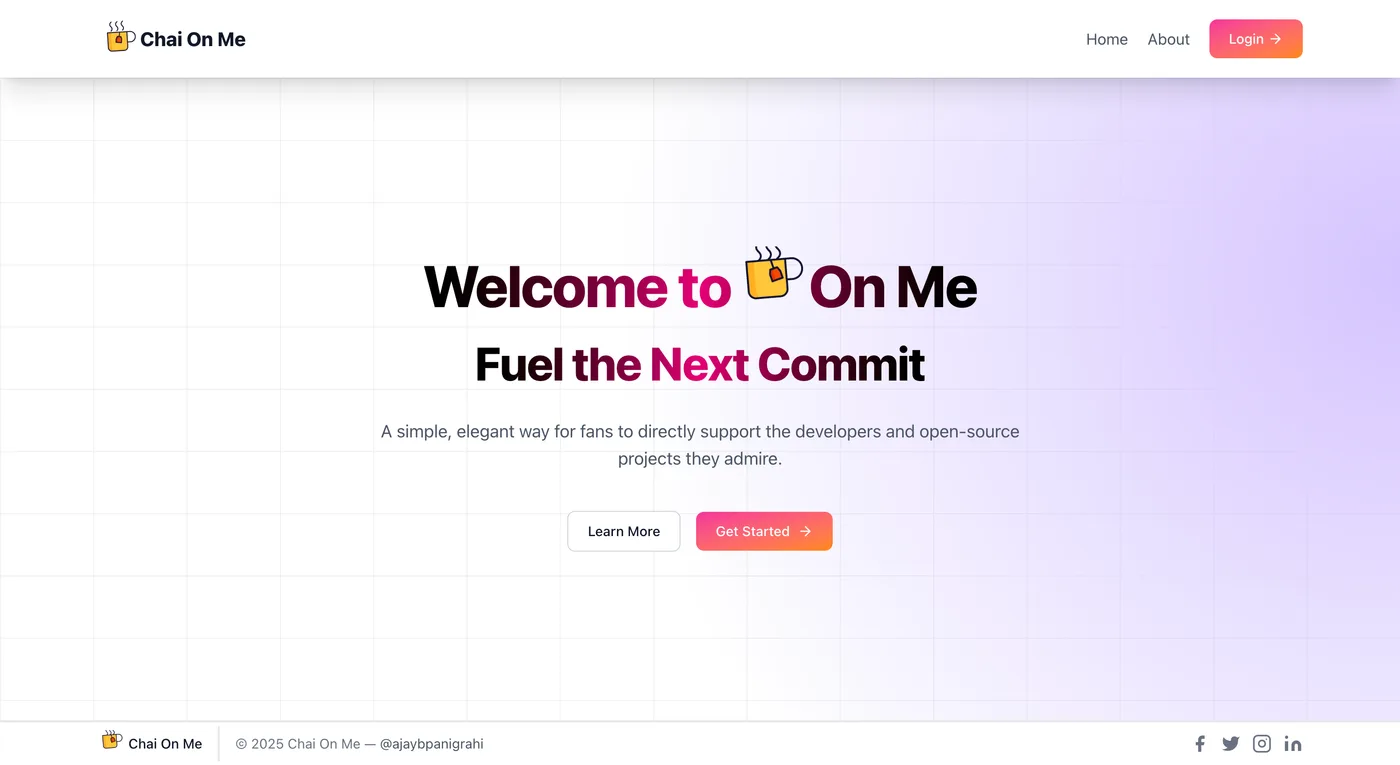
From the repository · README
A snapshot of the project’s own documentation. Read the latest on GitHub ↗
ChaiOnMe
A simple way for fans to support their favorite creators with the warmth of a cup of chai.
ChaiOnMe is a full-stack web application that allows fans to easily support their favorite creators through simple, secure payments. Creators can set up a profile and receive donations, while supporters can contribute without needing to log in. The application is built with Next.js and integrates with Stripe for seamless payment processing.
🔧 Features
- Secure Creator Registration: Developers and programmers can create an account and link their Stripe credentials.
- Personalized Profile Links: Creators get a unique profile URL (e.g.,
chaion.me/yourname). - Seamless Supporter Payments: Fans can pay directly on a creator's profile page without needing to log in.
- Stripe Integration: All payments are handled securely through the Stripe API.
- Real-time Notifications: Uses
react-hot-toastto provide instant feedback. - Protected Routes: Secure access to creator-specific settings and dashboards.
🚀 Live Link
Launch ChaiOnMe → https://chaion.me/
🖼️ Screenshots
💡 Why I Built This
I built ChaiOnMe to create a practical, real-world application that addresses a common need in the creator economy. The goal was to demonstrate a deep understanding of modern web development concepts, including secure authentication, a robust database schema with Mongoose, and seamless payment gateway integration with Stripe. The project showcases how to build a user-friendly platform for financial transactions.
🧱 Challenges & Lessons
- Integrating Stripe: Setting up and managing the Stripe API for secure, frictionless payments.
- User Authentication with NextAuth: Implementing a secure and flexible authentication flow using NextAuth.
- Data Modeling with Mongoose: Designing a database schema that efficiently links users, profiles, and payment information.
- Handling Server-Side Logic: Managing API routes and server-side operations in a Next.js environment.
- Creating a User-Friendly Interface: Ensuring the payment and registration processes are intuitive for both creators and supporters.
🧠 What I Learned
- The power of Next.js for building full-stack applications with both front-end and back-end capabilities.
- How to effectively use NextAuth for secure and versatile authentication strategies.
- The importance of a well-structured database schema using Mongoose to manage relationships between different data models.
- The ins and outs of integrating a third-party payment service like Stripe into a web application.
- The value of using a lightweight notification library like
react-hot-toastfor an improved user experience.
🗂️ Tech Stack
- Next.js
- NextAuth
- Mongoose
- React Hot Toast
- Stripe
📦 Future Enhancements
- Tipping Tiers: Allow creators to set different "chai" amounts with custom messages.
- Notifications: Send email or in-app notifications to creators when they receive a donation.
📁 Project Setup
Clone the repo and run locally:
git clone https://github.com/the-ajay-panigrahi/chai-on-me/
cd chai-on-me
npm install
Create a .env.local file in the root directory and add the following environment variables, replacing the placeholder values with your own keys
GITHUB_ID=your_github_id
GITHUB_SECRET=your_github_secret
MONGODB_URI=your_mongodb_uri
NEXT_PUBLIC_STRIPE_PUBLISHABLE_KEY=your_stripe_publishable_key
STRIPE_SECRET_KEY=your_stripe_secret_key
STRIPE_WEBHOOK_SECRET=your_stripe_webhook_secret
NEXTAUTH_SECRET=your_nextauth_secret
NEXTAUTH_URL="http://localhost:3000"
NEXT_PUBLIC_URL="http://localhost:3000"
npm run dev
A problem worth exploring.
Let creators share a profile and receive support, while keeping the supporter payment journey simple.
Inside the build.
- 01
Creator profiles have individual public URLs.
- 02
NextAuth and Mongoose support account and profile management.
- 03
Stripe powers the supporter payment flow.